



SUSPICIOUS LABS / OPEN FOR EXPERIMENTS

erus skills
playful strea.

Build a little business. Break a workflow. Follow a suspicious clue. This is where you get to press the buttons.

Find your next distraction

CURIOUS INPUT.
INTERESTING OUTPUT.

EXPERIMENT 000

Curiosity has its perks.Find all 10 Easter eggs. Get 10% off your first project with us.

MAKE / BREAK / PLAY

Pick an experiment.

Interactive experiments and a taste of our client work. The demos run in your browser; orders and bookings are practice runs.

12 experiments to get your hands on.

01 / MAKE IT YOURS

A business in a browser.

Build a café, design shop, flower studio, record shop or consultancy. Explore the products, shape the brand and follow a complete sample journey.

Build a mini business
02 / CONNECT THE DOTS

Break it. Then fix it.

Send an enquiry through a connected workflow. Try a missing detail, an outage or a duplicate and see what happens.

Run the machine
03 / FOLLOW THE EVIDENCE

Something doesn’t add up.

Eight illustrated case files. Inspect the exhibits, follow the evidence and solve the fault behind each business mystery.

Open the case files
04 / CHANGE THE FEEL

Same words. Different world.

Remix a live design with colour, typography, spacing and motion. Compare it with the original and keep your recipe.

Start a remix
05 / MAKE AN ORIGINAL

Good ideas. Fresh ink.

Make original posters with four visual languages. Change the inks, remix the composition, pin your favourites and download your artwork.

Make an original print
CLIENT PROJECT / THE AÇAÍ BAR

A little spoonful of you.

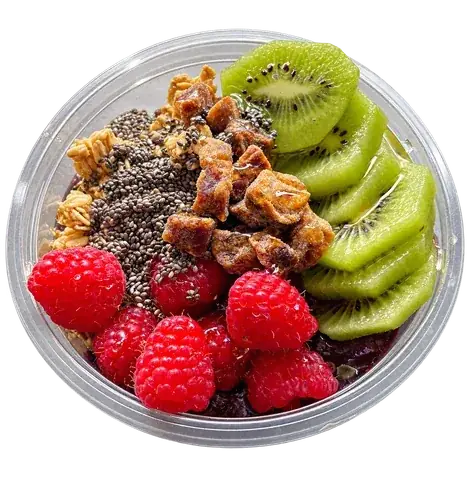
Choose a base, layer the toppings and save your recipe. An interactive slice of The Açaí Bar website, now in Work.

Open the Bowl Studio
07 / DAYMARK COFFEE

A little retail therapy.

Choose a roast and grind, try a demo checkout or work out a brewing recipe.

Try the coffee shop
08 / AFTERLIGHT

A signal worth following.

Answer a distress call, meet your crew and lead a sleeping convoy home. An original story across sixteen destinations, with conversations, trading and tactical ship battles.

Play The Last Convoy
09 / A HELPFUL COLLEAGUE

A reply with a reason.

Give a café assistant knowledge, choose its tools and test real conversational paths. See sources, handovers and approval before action.

Build a useful bot
10 / MAKE THE CONNECTION

One packet. Find a path.

Rotate the circuit, follow the signal and make five deliveries. A small puzzle about getting the right things connected.

Connect the circuit
11 / INTERPLANETARY POST

Special delivery. Very special.

Launch a parcel across five moons. Find the angle, read the wind and land on the receiving pad. A little physics. A lot of near misses.

Launch your first parcel
12 / MAKE A LITTLE SOMEBODY

Small creature. Big personality.

Create a pixel companion with ten starters, drawing tools and playful accessories. Animate a flipbook, try a tiny world and keep your own creature collection.

Make a pocket creature

A small bug. Entirely on purpose.

01 / THE SYSTEMS WORKSHOP

See the work.
Understand the system.

Six everyday problems, explained step by step.

Choose a problem. Follow one piece of work from start to finish, then see what happens when something goes wrong. Learn what the software does, why it helps and where a person takes over.

ONE EXAMPLE / JOB-104

A repair business receives a request for a quote.

INTERACTIVE WALKTHROUGH
CHOOSE A ROUTE
Current stage The same piece of workStart with the everyday problem.
WORK SAVEDNot yet
NEXT HANDOVERManual
A PERSON HANDLESThe manual work
01 / 06BEFORE / THREE PLACES

The work starts with copying.

A customer asks for a repair quote. Their email, a spreadsheet and a draft quote all need the same details. At the moment, you are the connection between them.

WHY THIS MATTERS

Each copy creates another chance to miss a detail or use an old version.

Take it at your own pace
Examples only. Nothing is connected to a real business.
01 / THE FRICTION

Before the change.

An email arrives. Someone copies the details into a spreadsheet, creates a job and then chases the missing information.

02 / A USEFUL DIRECTION

What changes.

Enter the details once. Check them, keep one job record and prepare the next step from that same information.

03 / KEEP PEOPLE IN CONTROL

What stays human.

A person sets the price and approves the quote. Unusual requests go to them, too.

NO SECRET LANGUAGE

A few terms, made useful.

Open a definition if you want to go a little deeper.

Validation

Checking that the information needed for the next step is present and sensible. An email-shaped value is not proof an inbox exists.

Automation

A repeatable task triggered by an event. It follows agreed rules; it does not understand every exception.

Exception

A request that needs another route, usually to a person, instead of being forced through the normal steps.

START WITH YOUR EVERYDAY WORK

Recognise this problem?

Which task do you repeat, where do the details start, and what do you copy them into?

Talk through your process

02 / CAPACITY EXPLORER

Less repeat.
More room.

What could you make time for?

Take one repeated task. Try a different way of doing it. See what changes when you count the work around the work, too.

YOUR ASSUMPTIONS. A CLEARER PICTURE.
3.8hnet capacity / week
See result
01 / SKETCH THE PROCESS

A little less
“same again”.

Start with your own numbers, or borrow a scenario.

Starting example · change any assumption below.

min

How long one task takes today.

tasks

Total across everyone doing this task. Count each task once.

%

Time removed from a routine task. Exceptions stay manual.

Allow for the real world8h setup · 0.5h/week upkeep · 10% exceptions

Illustrative scenarios, not industry benchmarks.
Your numbers stay in this page until you leave or reset.

02 / FIND THE ROOMLIVE ESTIMATE

Potential net capacity / week

3.8hours

For the work that needs you.

Current process8.0 h / week
With your changes4.2 h / week
Task timeUpkeepRoom made

Let it add up.

41.7 hoursnet capacity over 13 weeks,
including setup
Cumulative effort in hours · lower means less work.
Current: 104.0h. With changes and setup: 62.3h.
Current processWith changes + setup

Setup time recovered in about 2.1 weeks.

Show the working

Current weekly time = minutes per task × tasks per week ÷ 60.

Time removed = current weekly time × the proportion removed × the proportion of tasks that are not exceptions. Weekly net capacity = time removed − weekly upkeep.

Period net capacity = weekly net capacity × weeks − one-off setup. Break-even = setup ÷ positive weekly net capacity.

Task volume and timing are held constant. Exception tasks keep their original duration; add extra handling time to upkeep. This estimates time, not cash savings, revenue or a guaranteed outcome.

Talk through a real process
03 / SYSTEM INSPECTOR

One little click.
A lot working together.

A website is the front door.
Here’s what happens inside.

Follow an enquiry behind the screen. Watch the handovers, interrupt the routine and discover what each part does for your business.

TAKE IT FOR A SPIN

What happens if…

THE SYSTEM / UNDER THE SURFACEINTERACTIVE MODEL

Select a part to look inside. Play to follow the enquiry.

Read about this part
FOLLOW THE ENQUIRY01 / 07

Follow one enquiry from the screen to a recorded request and a notification handover.

DRAFT

A customer has a question.

Imagine a customer asking for a new website. Their message starts here, on their screen. No real enquiry is sent by this demo.

THE DEMO’S PAPER TRAIL
Saved enquiries
0
Notifications accepted
0
Background task
Not started

Accepted by an email service ≠ delivered to an inbox.

A simulation in your browser. No message is sent. Timings are slowed down so you can follow.

LOOK A LITTLE CLOSER

Different jobs.
One joined-up experience.

Choose any part of the diagram.
01 / INTERFACE

A clear next step for a real person.

The screen is where your customer meets your business. It explains what to do, helps them fix mistakes and tells them what happened next.

Picture it like this

Think of a helpful receptionist: a clear welcome, the right questions and no guessing where to go.

Why your business cares

Fewer abandoned forms. Less confusion. A customer who knows you have their request.

IN THIS WALKTHROUGH

In this walkthrough, the form keeps the message in place when a detail needs correcting. The final receipt confirms a saved enquiry, not an email arriving in an inbox.

Go a level deeper

Use real labels, keyboard-friendly controls and errors beside the relevant field. Preserve entered information when a request fails. A spinning button is a progress signal, never proof of success.

A useful question to ask

Could someone finish the task on a phone, with a keyboard, or using a screen reader?

This is an illustrative design, not a diagram of this website’s contact form. A small site may combine several roles; a larger service may separate them. The right setup depends on what the business needs.

Experiments should explain themselves.

These tools run in your browser. They do not send your inputs to us or use an AI model behind the scenes.

GOOD QUESTIONS START GOOD PROJECTS

Something on
your mind?

You don’t need a technical brief. Just a problem worth solving.

YOUR NEXT CHAPTER Tell us
the problem.
Start a conversation

Tab to a result. Enter to open. Escape to close.

SUSPICIOUS INC.START A CONVERSATION

01 / THE STARTING POINT

What needs to change?

A new idea, a stubborn problem, or a few things that should work better together.

Where shall we start? Choose any that fit

Not sure yet? Leave these blank. We’ll work it out together.

What’s happening now, and what would better look like?

01 / 03